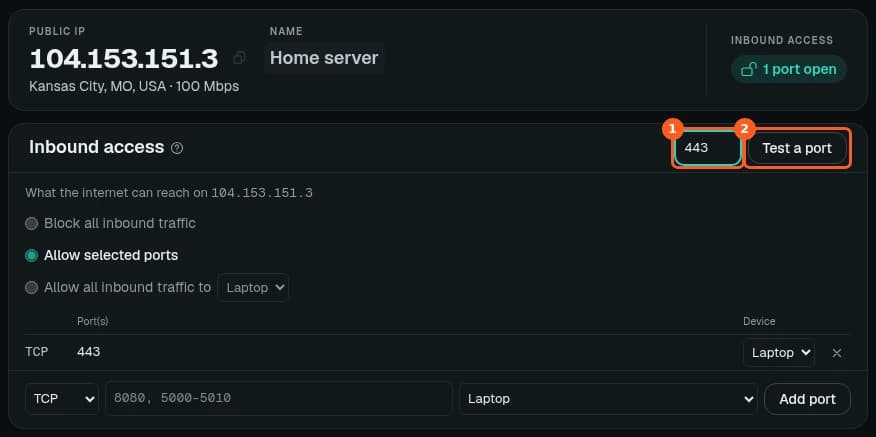
Open ports
Open, close and test ports on the Ports tab.
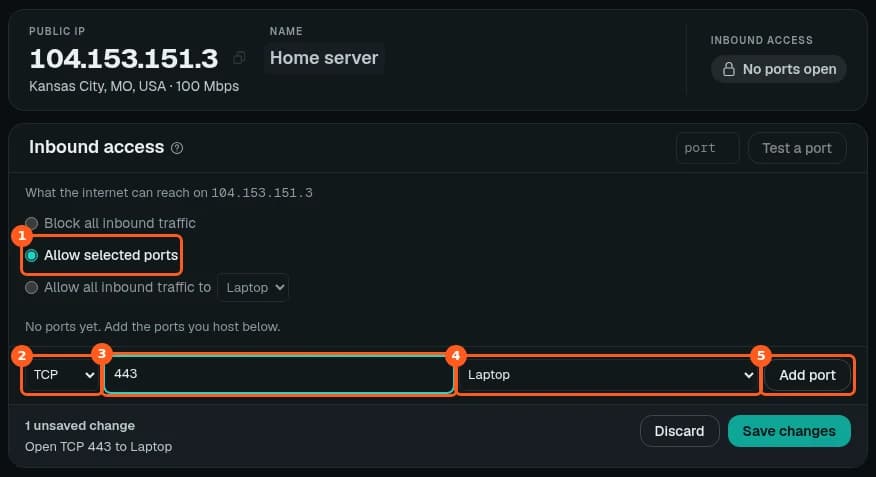
Open a port
Select Allow selected ports. Choose the protocol, type the port, choose the device, click Add port.
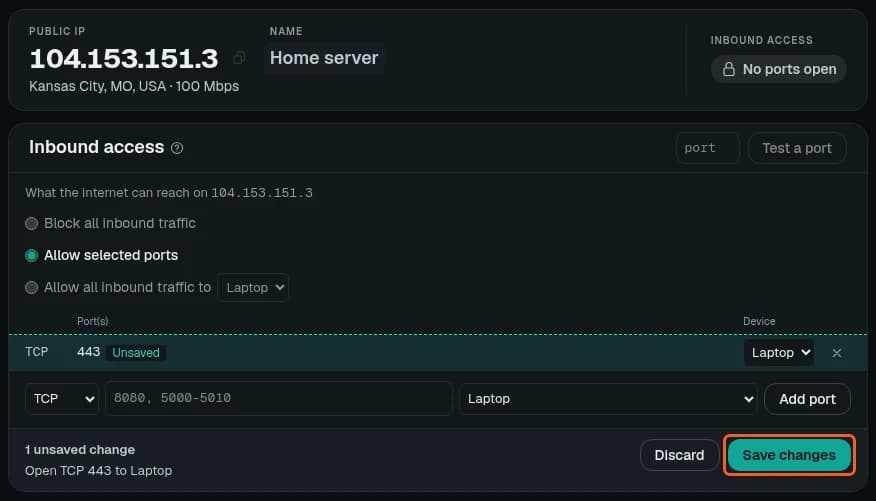
Click Save changes.
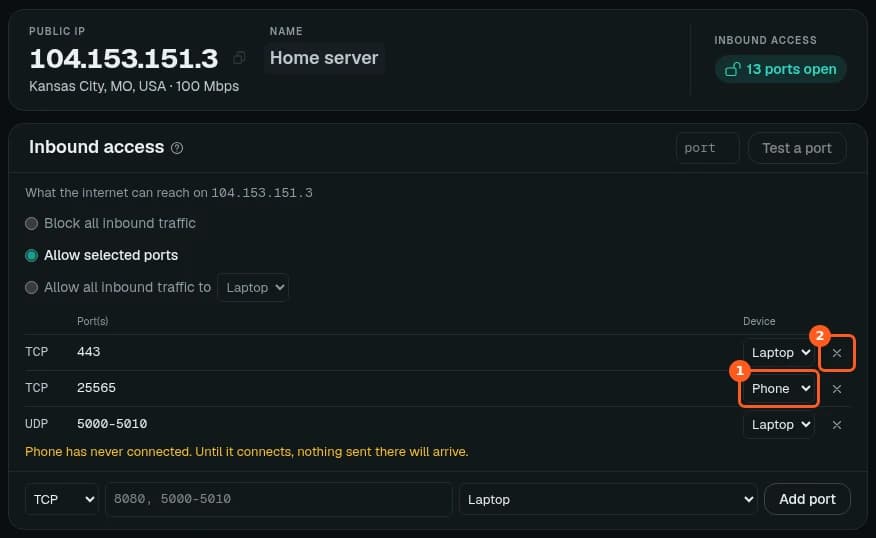
Change or close a port
Choose another device, or click ✕ to close the port. Then click Save changes.
Open all ports
Pro, Ultra and Unlimited plans.
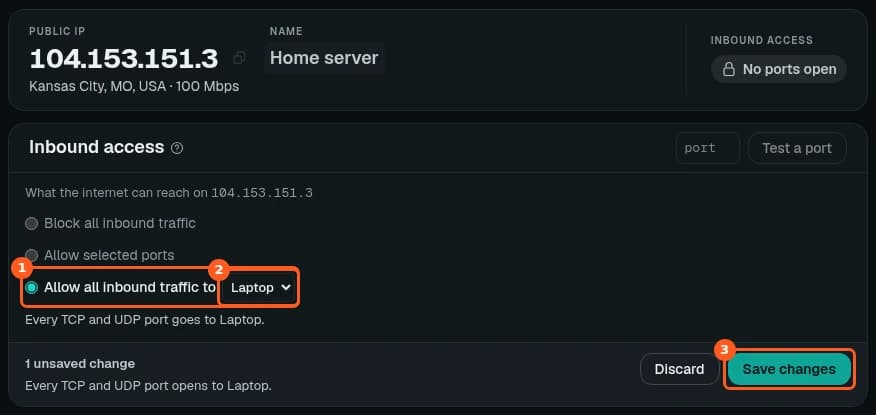
Select Allow all inbound traffic to, choose the device, click Save changes.
Test a port
Type the port and click Test a port.