IP settings

Change an IP's name, location and options on the My IPs tab.

Open dashboard

Pick an IP

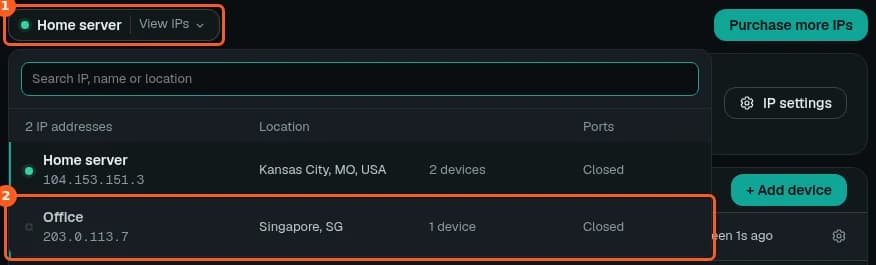
  1. Click View IPs, then the IP.

    View IPs list, open: two IP addresses with location, devices and ports

Name an IP

  1. Click the name, type a new one, press Enter.

    IP card: the Name field, being changed to Game server

Change location

You get a new IP address. The old IP works for 1 more hour.

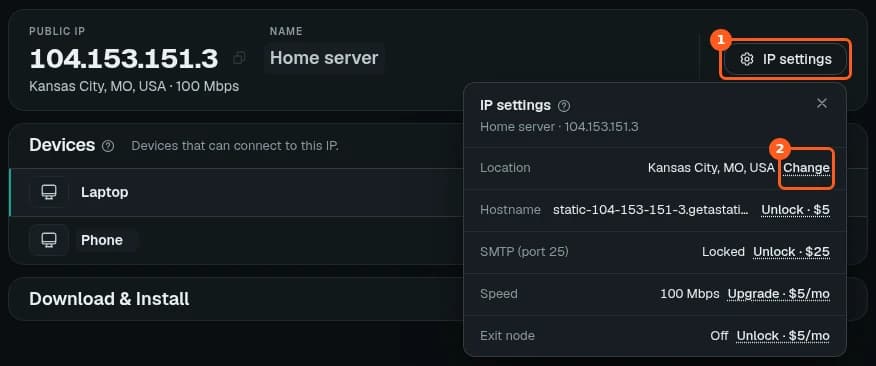
  1. Click IP settings, then Change.

    IP settings panel: the IP settings button, and Change in the Location row
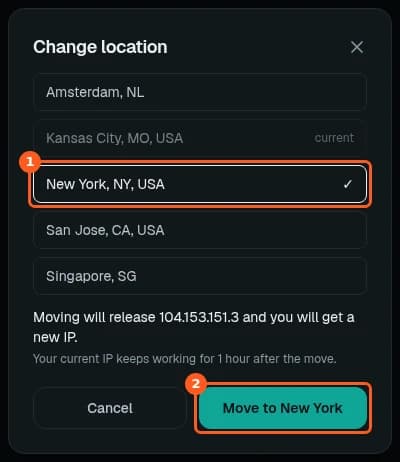
  2. Click the city, then Move to …

    Change location dialog: New York selected, and the Move to New York button
  3. Download the new config and import it on each device.

Set reverse DNS

$5 once per IP, from your credit.

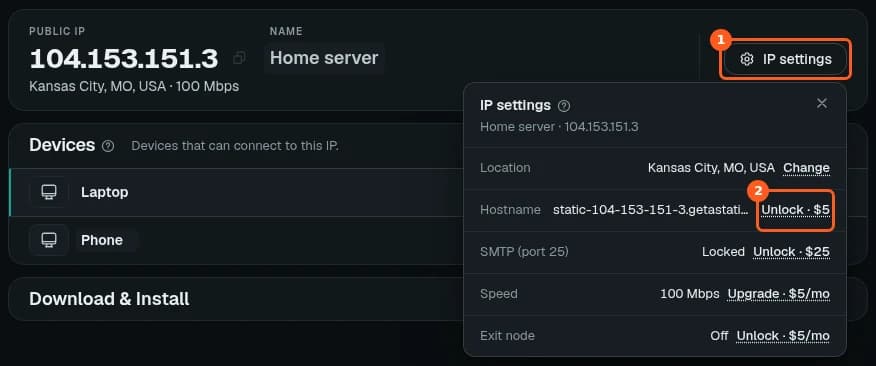
  1. Click IP settings, then Unlock · $5.

    IP settings panel: the IP settings button, and Unlock in the Hostname row
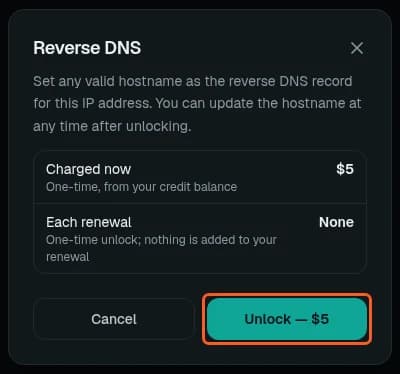
  2. Click Unlock — $5.

    Reverse DNS dialog: charged now, one-time, and the Unlock button
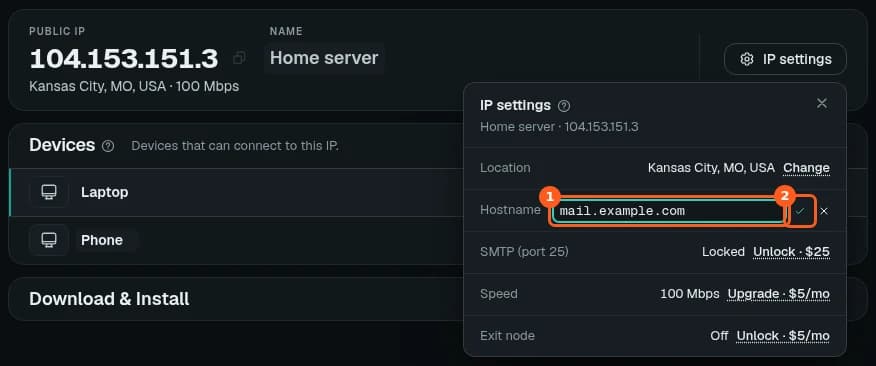
  3. Type the hostname and click ✓.

    IP settings, Hostname row: mail.example.com typed, and the save button

Unlock SMTP

$25 once per IP, from your credit.

  1. Click IP settings, then Unlock · $25.
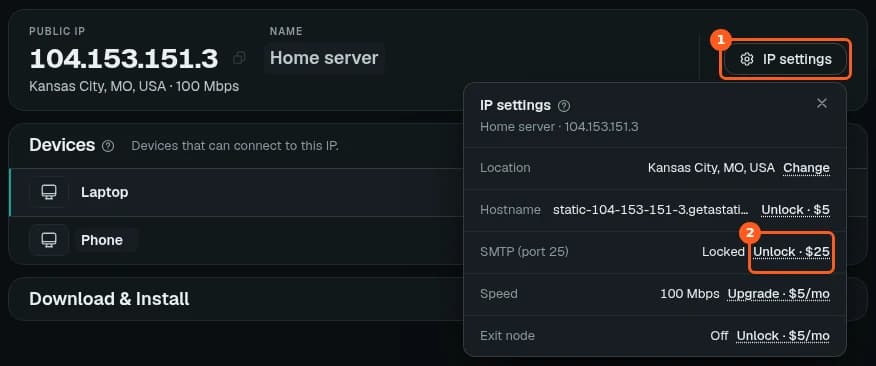
    IP settings panel: the IP settings button, and Unlock in the SMTP (port 25) row
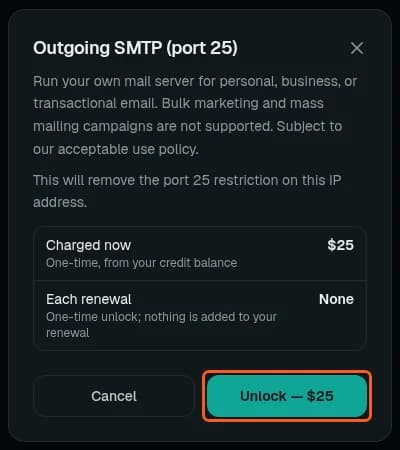
  2. Click Unlock — $25.

    Outgoing SMTP (port 25) dialog: the rules, charged now, and the Unlock button

Gigabit Speed

1 Gbps on one IP for $5/mo. Plus and Pro plans.

  1. Click IP settings, then Upgrade · $5/mo.
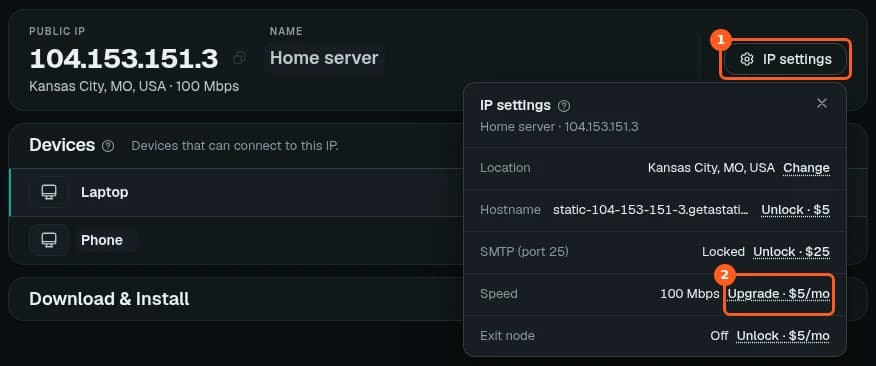
    IP settings panel: the IP settings button, and Upgrade in the Speed row
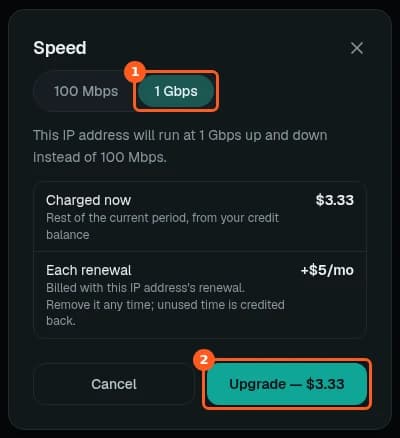
  2. Click 1 Gbps, then Upgrade.

    Speed dialog: 1 Gbps selected, charged now, each renewal, and the Upgrade button

Add an IP

  1. Click Purchase more IPs.

    My IPs tab: the Purchase more IPs button, top right
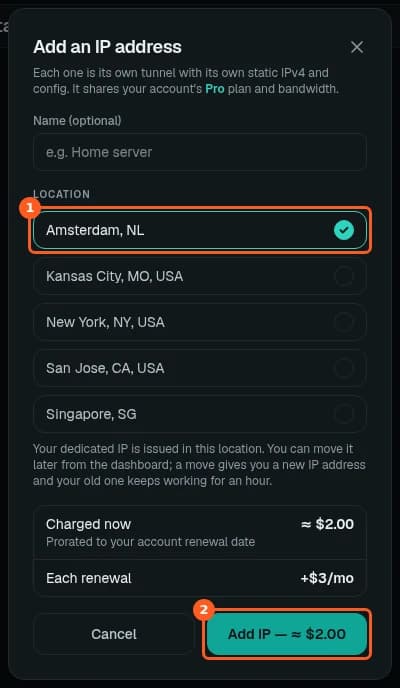
  2. Click a city, then Add IP.

    Add an IP address dialog: location list, charged now, each renewal, and the Add IP button

Remove an IP

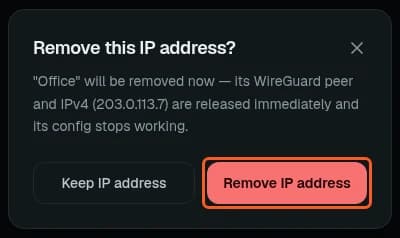
The IP is released at once. You cannot get it back.

  1. Click IP settings, then Remove IP address.
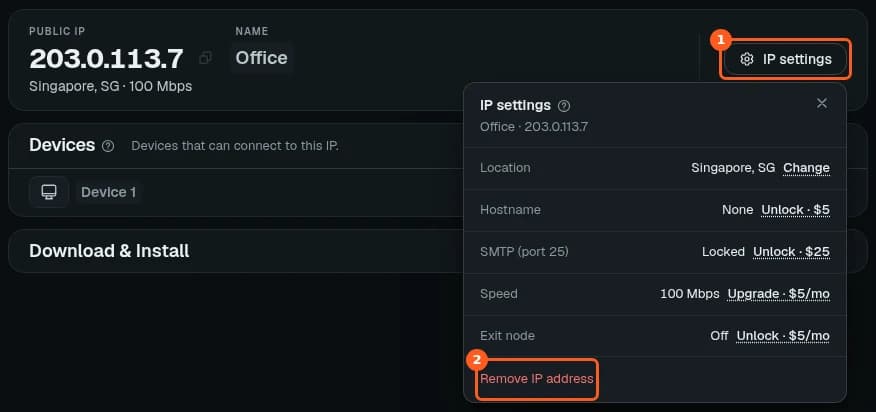
    IP settings panel of an extra IP: the IP settings button, and Remove IP address
  2. Click Remove IP address.

    Remove this IP address? dialog: the Remove IP address button